






Master Trello for Effortless Project Organization and Team Collaboration
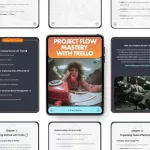
If you're looking for a game-changing way to organize your projects, streamline tasks, and boost your team's productivity, Project Flow Mastery with Trello is the ultimate guide you need. This comprehensive eBook walks you through everything you need to know about using Trello to organize projects effectively—from setting up your first board to mastering advanced features like automation and AI-powered productivity prompts. Whether you’re an individual professional or part of a collaborative team, this guide will elevate your workflow and make project management a breeze. Designed for anyone who wants to harness the power of Trello, this eBook covers all the essential tools, tips, and tricks to ensure your projects run smoothly. With clear, step-by-step instructions and actionable advice, you’ll be able to take full advantage of Trello’s capabilities to organize tasks, collaborate with your team, and track progress like a pro.What’s Inside: Key Features
- Chapter 1: Getting Started with Trello – Learn how to set up your first board, understand lists and cards, and get comfortable with Trello's interface.
- Chapter 2: Organizing Tasks Effectively – Discover how to categorize tasks, use labels, due dates, checklists, and assign team members to specific tasks.
- Chapter 3: Advanced Board Management – Automate tasks, utilize Power-Ups, and streamline processes with board templates for recurring projects.
- Chapter 4: Collaboration and Team Workflow – Master team notifications, manage shared boards securely, and implement best practices for collaborative projects.
- Chapter 5: Tracking Progress and Metrics – Visualize your workflow, monitor project progress, and avoid common tracking mistakes.
- Chapter 6: AI-Powered Productivity Prompts – Unlock Trello templates and automate task descriptions with AI to save time and effort.
- Chapter 7: A Real Project Workflow – Walk through a step-by-step example of launching a small business and see how Trello simplifies task management.
- Chapter 8: Next Steps for Trello Mastery – Learn how to continuously improve your Trello skills, scale your boards, and find the best resources for further learning.
Practical Benefits for You and Your Team
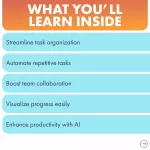
- Boost Productivity: Streamline your tasks and collaborate more effectively using Trello’s intuitive tools.
- Time-Saving Automation: Automate repetitive tasks with Butler and AI-powered prompts to keep projects moving without extra effort.
- Enhanced Team Collaboration: Share boards, manage notifications, and ensure smooth communication across teams.
- Track and Monitor Progress: Use Trello views and dashboards to keep a close eye on progress, helping you stay on top of deadlines and tasks.
- Real-World Application: Learn from a real-life case study and see how Trello can make a big difference in the success of a project.
Who is This For?
This eBook is perfect for professionals, entrepreneurs, and teams who want to use Trello to organize projects, enhance collaboration, and improve productivity. Whether you're managing personal tasks or working with a large team, this guide will teach you how to optimize your workflow and ensure that your projects are completed on time and without stress.What Makes It Different?
Project Flow Mastery with Trello is not just another generic guide. It's a comprehensive, in-depth resource that goes beyond the basics, offering expert insights, practical tips, and advanced techniques you won’t find in other resources. This eBook dives into AI-powered productivity prompts, automation, and best practices for team workflows—ensuring you’re fully equipped to take your Trello game to the next level. Plus, the real project workflow example shows how you can apply what you’ve learned to real-world situations.Get Started Today!
Project Flow Mastery with Trello now and start using Trello to organize your tasks, track your progress, and collaborate with ease. Don't miss out on the opportunity to transform your workflow and boost your productivity. Click the button below to get started!
